







What should I do if my router cannot access the internet or cannot connect to the network?
What should I do if my router cannot access the internet or cannot connect to the network?
Scenario 1: Card-based usage (4G/5G mode; default factory settings);
1. Check whether the 4G antenna is properly connected;
2. Reset/Factory Reset (hold the RST button for 10 seconds);
3. When replacing your SIM card, you will need to restart your device;
4. Software Upgrade (Device Management – Software Upgrade);
5. Return for repair and inspection;
Scenario 2: Wired/Broadband connectivity (Standard Routing Mode);
1. First, switch to the operating mode (Standard Router Mode), then connect the broadband cable to the router's WAN port.
2. Confirm whether a broadband account login credentials need to be entered; if such credentials are available.
(Then select "PPPOE Dial-up" and enter your broadband account password), as shown in the figure below.
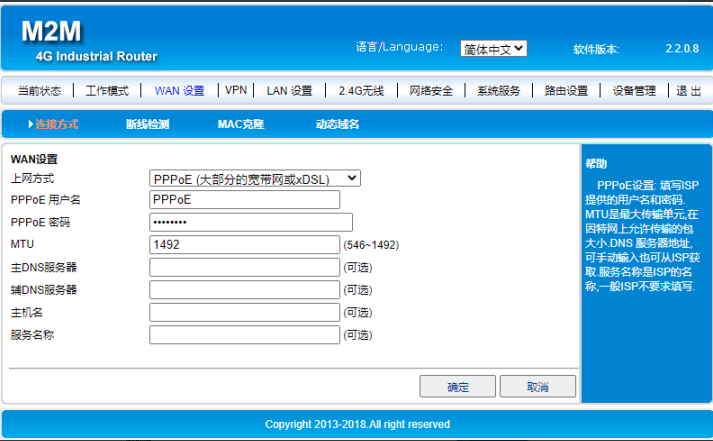
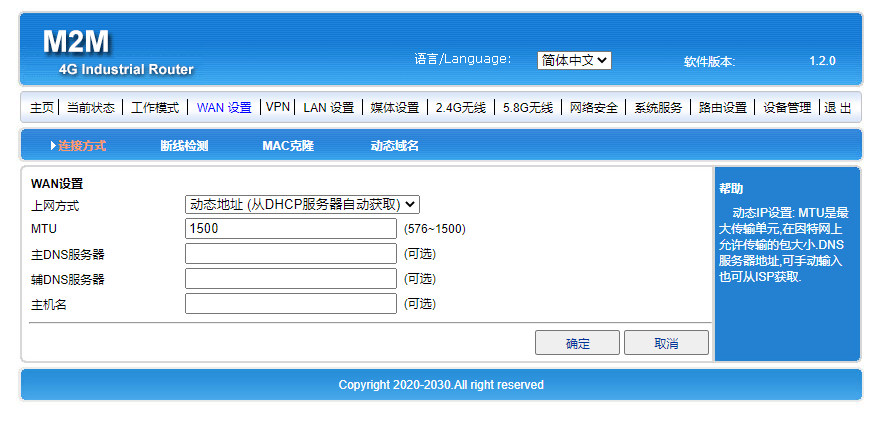
If you don't have an account password, select "Get Dynamic IP Address/Use Static IP Address to Access the Internet," as shown in the figure below:
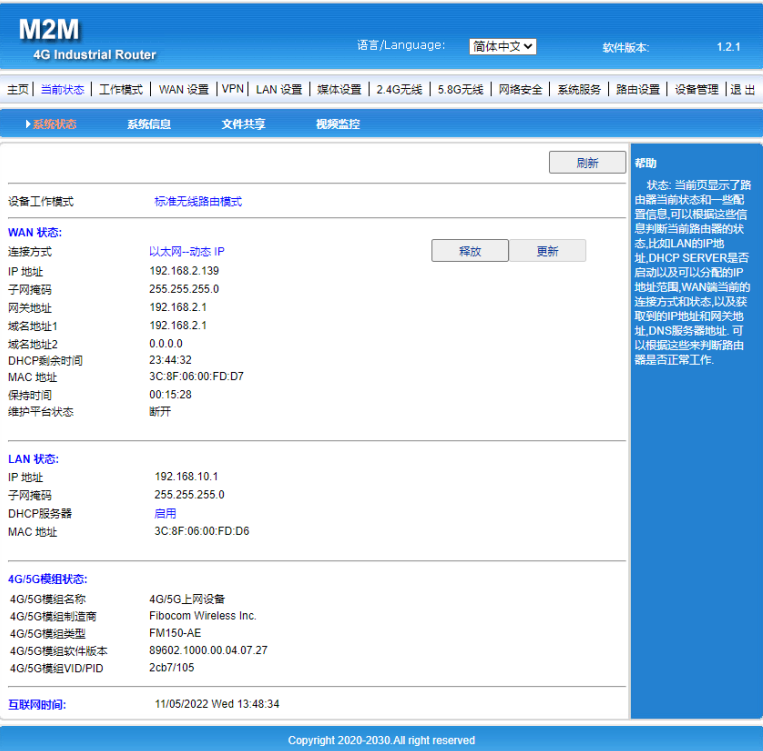
After successful connection, the interface appears as shown in the figure below: